
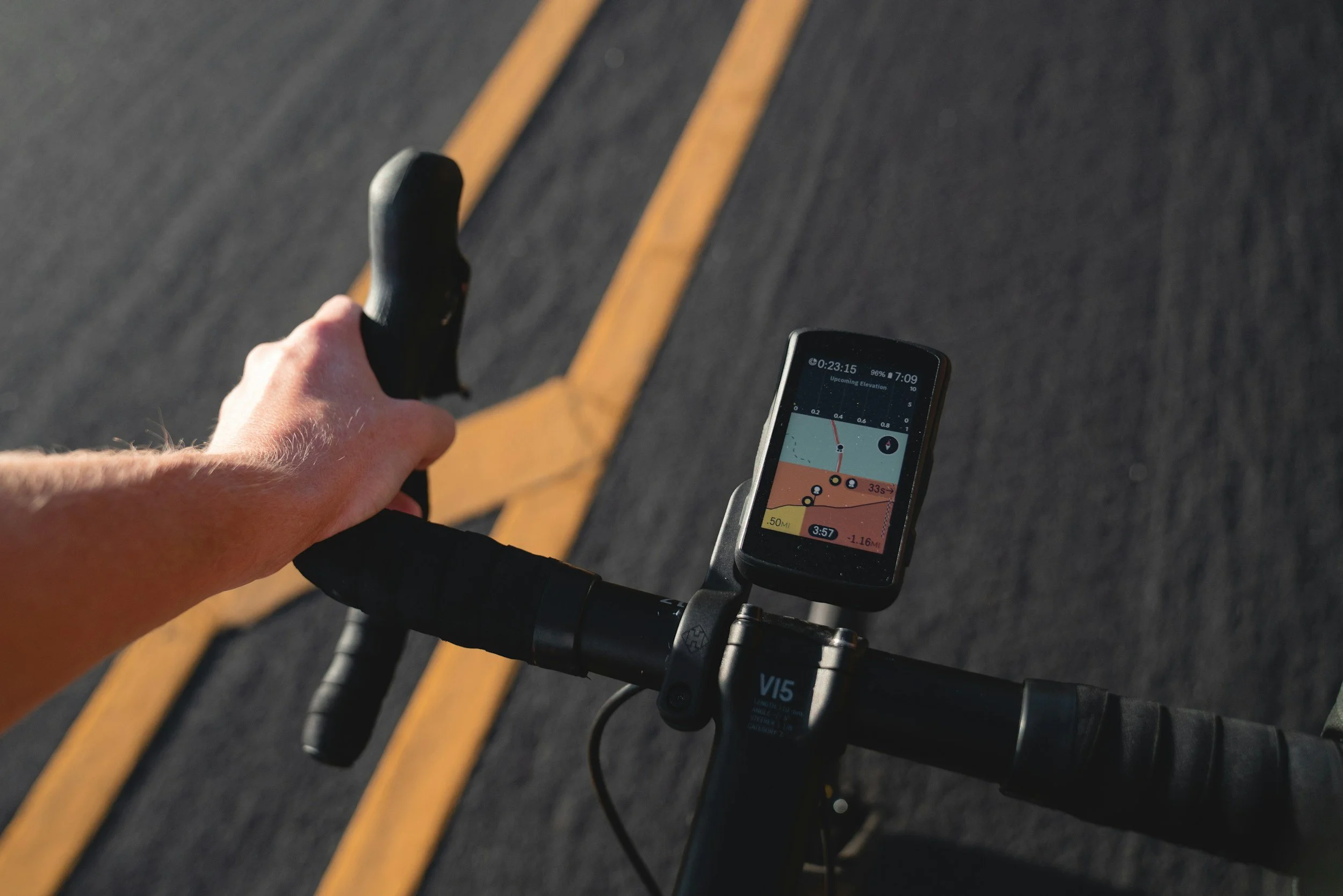
Computers & Navigation
Your primary tool for navigating each day’s route. This guide covers how to load routes, follow them confidently on the road, and includes a few hard-earned tips we’ve picked up from years of running trips.
GPS Bike Computers & Navigation on Tour
Navigation on a RAID trip is simple and consistent: each rider navigates independently using a GPS-enabled bike computer. Routes are not marked on the road, and the group does not move turn-by-turn behind a guide. This approach gives you freedom—ride at your own pace, choose your line, and shape your day—while remaining fully supported by our team and vehicles on route.
If you’re already comfortable using a GPS bike computer, this will feel familiar. If not, we strongly encourage you to spend some time learning how to load and follow routes before arriving. Trying to learn a new device on arrival or on the first ride day adds unnecessary stress when there’s already plenty of new information to absorb.
We also don’t recommend relying on other riders for navigation. Different riders may be following different routes (Touring vs. Passhunter), and the wheel in front of you isn’t always heading the right way. Your GPS is your primary guide—trust it, follow it, and you’ll have a much smoother experience.
A little practice at home with your device goes a long way once we’re on the road.
How Navigation Works on a RAID Trip
Before the trip, we’ll share Ride with GPS links and downloadable GPX files for every stage. These files contain the exact routes for both Touring and Passhunter options, including key waypoints and control points where applicable.
You’ll load the routes onto your GPS bike computer and follow them throughout the day. This is the only method of navigation used on tour, and it allows riders to move fluidly—solo or in small groups—without waiting, stopping, or relying on a guide for directions.
Support vehicles are always on route, but navigation remains rider-driven.
Ride with GPS (Highly Recommended)
We use Ride with GPS as our primary route-sharing platform.
We strongly recommend:
Creating a free Ride with GPS account
Installing the Ride with GPS app on your smartphone (iOS or Android)
How to create and export routes:
LINK HERE
The app is a great backup tool for reviewing routes, checking elevation profiles, and confirming you’re on course. While we don’t recommend relying on your phone as your primary navigation device, it’s an excellent secondary reference if needed.
Preparing Your GPS Device (Important)
If you ride with your own GPS computer (Garmin, Wahoo, Hammerhead, etc.), please make sure it is fully set up and tested before you depart.
This includes:
Downloading all relevant country maps and basemaps in advance. Do not wait until you arrive in a foreign country to do so
Confirming you can successfully load and follow a GPX route
Ensuring your device is updated and functioning normally
We strongly recommend doing this at home, on a reliable internet connection on your own desktop or laptop. Downloading maps once in-country can be unpredictable due to:
Limited or inconsistent cellular coverage
A laptop is often required for base map uploads
Hotel or public Wi-Fi restrictions are very common and may not allow you to upload GPX files
App store or account limitations tied to your home country
Some GPS devices and accounts have licensing or regional restrictions tied to your home country. Downloading maps while you’re still at home is far more predictable than waiting to do so abroad. In the past, we’ve seen certain GPS models require additional fees to download country-specific maps once outside their home region.
Having everything loaded ahead of time ensures your device works seamlessly from day one and avoids unnecessary stress during the first few rides.
We’ll send GPX files well in advance so you can confirm everything is working properly before arrival.
GPS Devices: Helpful, Not Flawless
A quick reality check: GPS devices are incredibly useful, but they’re not perfect. Occasionally they can freeze, lag, or get momentarily confused—especially in areas where routes overlap or intersect. When this happens, the device may hesitate or suggest an incorrect turn.
The key is patience and familiarity. Knowing how to pause, zoom out, reorient the map, or reload a route makes a big difference. Taking time to learn your device’s basic functions before the trip will help you handle these moments calmly and keep the ride enjoyable.
Use the Latest Routes (It Matters)
Please make sure you’re using only the GPX files and Ride with GPS links we provide prior to your RAID trip. Avoid downloading routes from friends, old emails, Strava, or earlier versions of the trip.
Routes evolve. We’re constantly making small adjustments—responding to road conditions, access changes, construction, weather, or simply improving the ride. Using an outdated file can quietly send you the wrong way.
We’ve seen this firsthand. On one trip, a rider downloaded routes from a friend who had ridden an earlier version of the tour. It took a few days to realize why he was consistently arriving late to lunch and showing up from unexpected directions. Once we swapped in the correct files, everything clicked.
Save yourself the confusion: load the latest routes we send, double-check they’re on your device, and you’ll be exactly where you’re meant to be—every day.
Our Preferred GPS Computers: Wahoo
We’re big fans of Wahoo ELEMNT GPS computers- we have used them since 2015. They’re intuitive, reliable, and especially easy to use when navigating routes abroad. Over the past 30 years, we’ve seen just about every bike computer on our trips, and time and again, Wahoo units have proven to be the most dependable choice for the way we ride and travel—backed by best-in-class customer service when it matters most.
For guests who don’t own a GPS unit, we have a limited number of Wahoo ELEMNT computers available to borrow during the trip. Availability is limited and offered on a first-come basis—please let us know early if you’d like to reserve one.
If you’re considering purchasing a GPS computer specifically for this trip, Wahoo is our top recommendation.
Helpful links:
Garmin
Garmin devices are widely used and fully compatible with RAID navigation. If you ride Garmin, be sure your maps and basemaps are downloaded before traveling, as regional map downloads abroad can be unpredictable.
Helpful links:
Hammerhead Karoo
Hammerhead Karoo units offer excellent mapping and a large screen that’s easy to follow on long days. GPX import is straightforward, and integration with Ride with GPS works well.
Helpful links:
Other GPS Devices We See on RAID Trips
If you ride one of the following, make sure your device supports GPX route import and on-device navigation (not just breadcrumb tracking):
These devices can work well, but setup and functionality vary by model. If you’re unsure, email us—we’re happy to confirm compatibility.
The Bottom Line
A GPS-enabled bike computer is required for each RAID
Routes are navigated independently using GPX files we provide
Ride with GPS is our route-sharing platform
Preparing your device before departure is essential
A bit of setup ahead of time makes the riding smoother, calmer, and far more enjoyable once we’re on the road.
If you have questions about setup, compatibility, or which device is right for you, we’re always happy to help—just reach out.